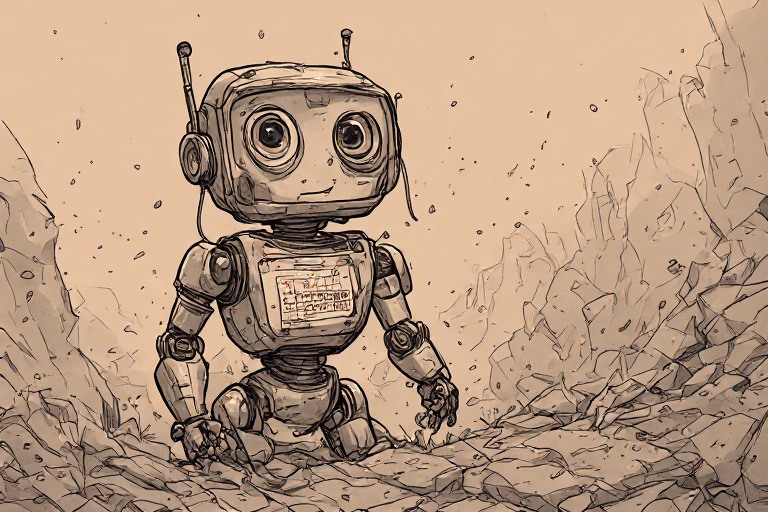
In the early days of a new website, everything feels stable. Your plugins are green, your themes are working, and your content is live. But a WordPress site is not a static monument; it is a living piece of software that exists in an ever-changing ecosystem. The moment you decide to “set it and forget it” and stop performing regular updates, you aren’t just saving time—you are starting a countdown toward inevitable decay.
At Harmonic Design, we often see business owners who thought they were being efficient by skipping maintenance. In reality, they were just accumulating technical and security debt. To understand why this is dangerous, let’s walk through a timeline of what happens when you stop updating your WordPress site.
Day 1: The Illusion of Safety
On the first day you skip an update, nothing seems to change. Your site looks exactly as it did yesterday. You might even feel a sense of relief that you didn’t have to deal with the potential “breakage” that sometimes comes with updates. This is the most dangerous phase because it breeds a false sense of security.
You assume that because the site is still up, everything is fine. But underneath the surface, the gap between your version of WordPress and the current, secure version is already widening.
Week 2: The Low-Hanging Fruit Phase
By the second week, the “low-hanging fruit” for hackers begins to ripen. Most automated attacks on WordPress sites aren’t targeted at you specifically; they are bots scanning the internet for known vulnerabilities in specific versions of WordPress core, popular plugins, or themes.
When you stop updating, you are essentially leaving your front door unlocked while a thief walks down the street checking every handle. Hackers look for “known vulnerabilities”—security flaws that have already been patched in the latest version but remain open on your unpatched site. If you are running an outdated version of a popular plugin, you are a sitting duck for automated scripts that can inject malicious code or create unauthorized admin accounts in seconds.
Month 3: The Conflict and “Plugin Rot” Phase
As we move into the third month, the decay moves from security to stability. This is where “plugin rot” sets in.
The web is a moving target. Browsers update, PHP (the language WordPress runs on) evolves, and the underlying server environment changes. When you keep your plugins and themes static while the rest of the web moves forward, you create a massive compatibility gap.
You might notice strange things happening: a contact form that suddenly doesn’t send emails, an image slider that won’t move, or a layout that looks “broken” on newer mobile devices. This isn’t usually because your site is “broken”; it’s because the code you are running was written for a version of the web that no longer exists. Eventually, this leads to a critical failure—perhaps a plugin update is finally forced by your host, but because your core WordPress version is so old, the entire site crashes during the process.
Year 1: The Inevitable Crash or Hack
If you reach the one-year mark without updates, you are likely facing one of two scenarios: a total site failure or a successful hack.
A successful hack is often devastating. You might find your site has been turned into a spam engine, sending thousands of malicious emails from your domain, which will get you blacklisted by Google and email providers. Or worse, your site could be used to host malware, infecting the computers of anyone who visits it. Recovering from this is expensive, stressful, and often requires a “site rescue” from professionals like us.
A total failure happens when a critical dependency—like your PHP version or a core WordPress requirement—reaches end-of-life. Your hosting provider will eventually force an upgrade to keep their servers secure. When they do, your outdated site won’t be able to handle the transition, and you’ll wake up to a “White Screen of Death.”
Security is Architecture, Not a Checklist
Many people think security is about installing a “security plugin” and calling it a day. That is a mistake.
True security is about architecture. It means writing defensive code that doesn’t rely on external libraries that might be vulnerable. It means reducing your attack surface by using fewer, better-built plugins instead of a massive stack of mediocre ones. It means hardening your access points and ensuring that every layer of your site—from the database to the theme—is maintained against the latest threats.
Maintenance is not an “extra” service; it is the fundamental requirement for keeping a digital asset functional.
How to Avoid the Decay
You don’t have to live in fear of the “White Screen of Death.” The key is moving from a reactive mindset to a proactive one.
This is why we offer our WordPress Care Plan. We don’t just click “update” and hope for the best; we provide a managed approach that includes updates, security scanning and hardening, malware removal, performance tuning, backups, and emergency support. We ensure that your site stays fast, safe, and—most importantly—online.
Don’t wait for the decay to start. A website isn’t finished at launch; it requires ongoing care to remain a reliable tool for your business.
If your site is currently showing signs of neglect or has been compromised, contact us for a site rescue.